Live Search Console scans
Pull live Google Search Console data into WordPress so every opportunity starts from real search performance.
A two-plugin WordPress suite
N.C. Decay Suite gives WordPress teams two plugins for content decay: Scanner finds and prioritizes slipping pages, Fixer turns the best opportunities into supported refresh work.
Start free with N.C. Decay Scanner. Add N.C. Decay Fixer when you need AI refresh briefs, safe draft creation, scheduled alerts, licensing, and support.
Two plugins, one workflow
Free plugin
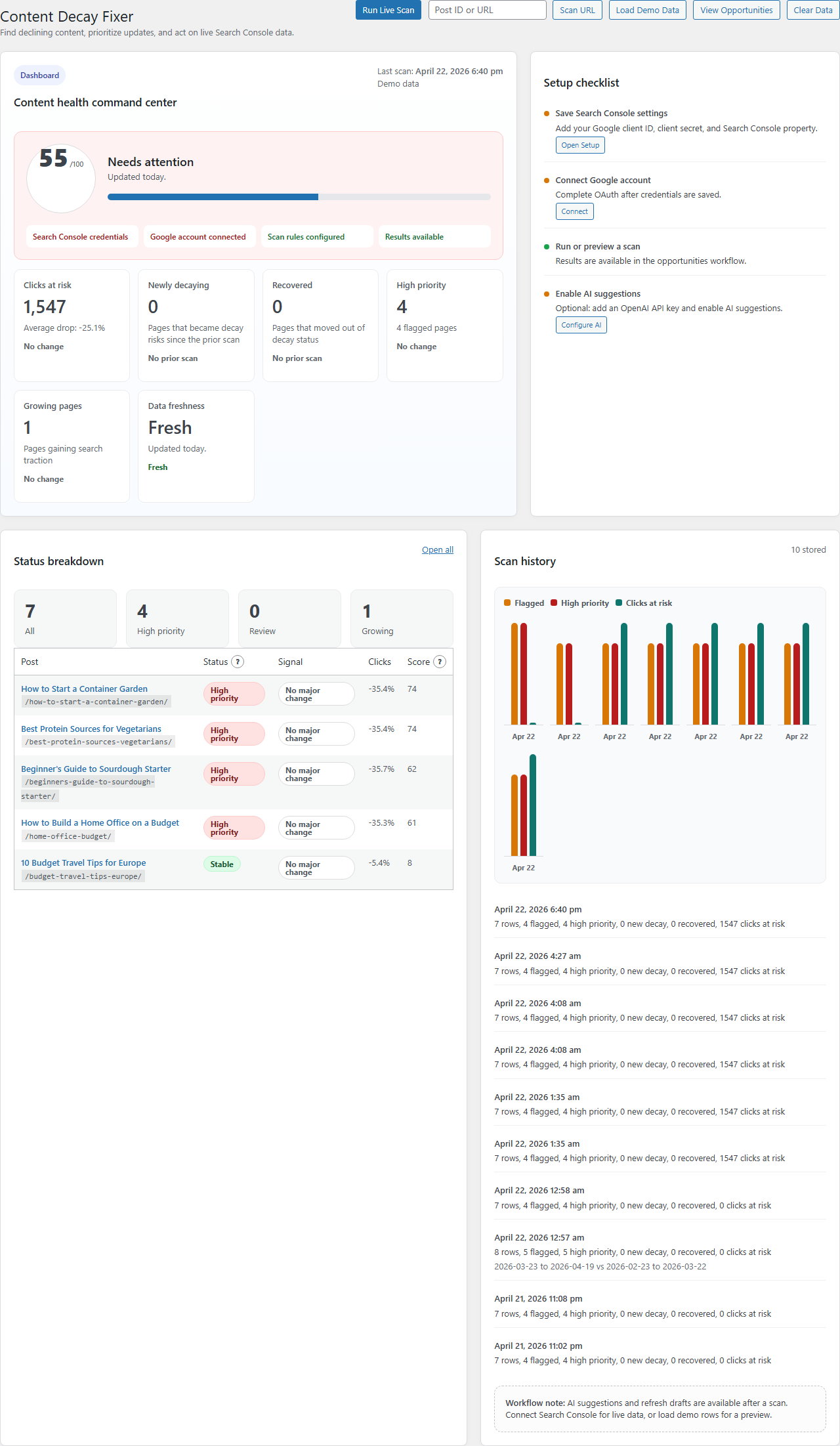
Connect Search Console, scan for declining content, prioritize opportunities, assign ownership, save notes, track statuses, and export the queue.
Premium plugin
Turn Scanner findings into refresh production with AI briefs, safe drafts, diffs, scheduled scans, alerts, licensing, and support.
Inside the workflow
Search Console can tell you that something slipped. N.C. Decay Scanner turns that data into a priority queue, and N.C. Decay Fixer adds the premium tools for refresh planning and production.
Feature set
Use Scanner to find and organize content decay. Use Fixer when the workflow needs AI guidance, safe draft creation, automated monitoring, alerts, and support.
Pull live Google Search Console data into WordPress so every opportunity starts from real search performance.
Compare rolling windows or custom periods, and inspect one specific post or URL when you need a focused check.
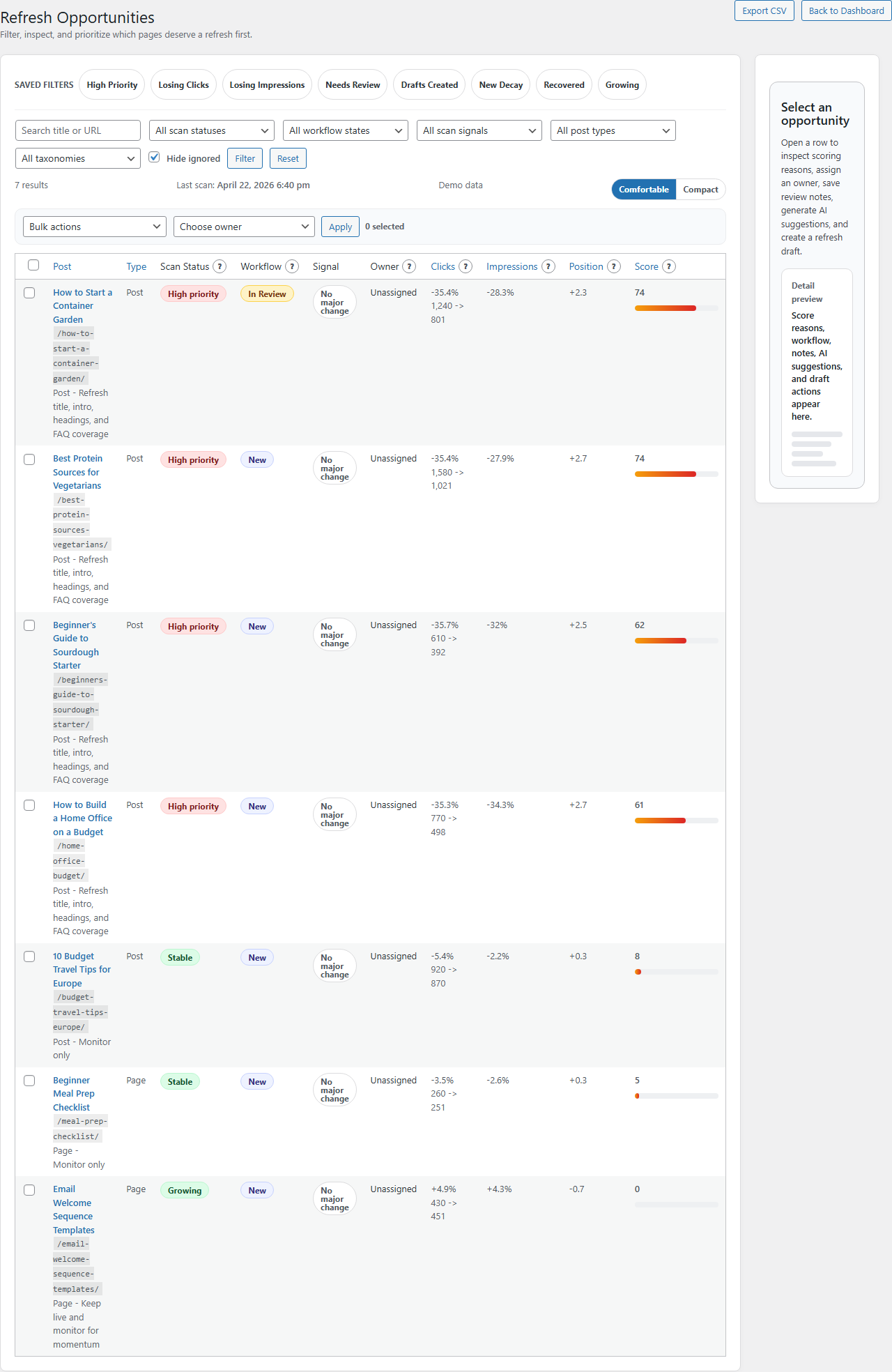
Score pages by click loss, impressions, ranking changes, and demand so urgency is easier to trust.
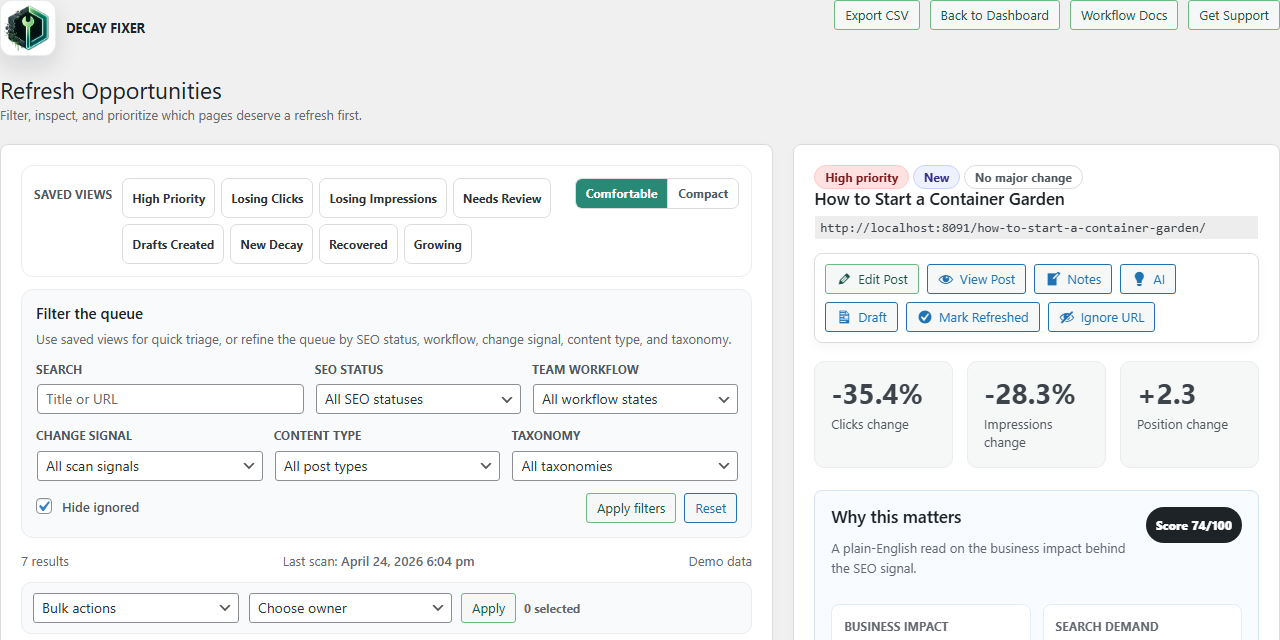
Use saved views, density modes, status filters, content-type filters, taxonomy filters, and ignored-row controls to shape the queue.
Assign owners, add notes, update workflow state, and keep refresh context attached to the exact page that needs work.
Generate structured refresh guidance with outlines, missing sections, FAQs, internal links, and freshness checks.
Create refresh drafts without overwriting live content, then compare source versus draft before publishing anything.
Export CSVs from Scanner, then use Fixer for notifications, scheduled scans, thresholds, ignored URLs, and operational support.
Fixer pricing
Scanner stays free. These plans are only for N.C. Decay Fixer, the separate premium plugin for AI briefs, scheduled monitoring, alerts, safe refresh drafts, multi-site licensing, and support.
For one serious site owner or publisher.
1 site
For teams managing several content sites.
5 sites
For agencies and operators managing client sites.
25 sites
Annual billing is the best value and saves about 30% compared with paying monthly. Initial purchases include a 14-day money-back guarantee; renewals and partial terms are not refundable except for billing errors or unresolved technical failures.
Latest Release
Install Scanner on one WordPress site, connect Search Console, run live scans, prioritize decaying pages, and export the queue without a license key.
How It Works
Run a live scan against Google Search Console using the posts, pages, date ranges, and thresholds that match your content strategy.
Score which pages are truly worth a refresh by traffic loss, ranking movement, prior demand, recovery state, and workflow context.
Hand the right pages to the right people with notes, owners, statuses, exports, and a cleaner queue for daily triage.
Use N.C. Decay Fixer to generate refresh guidance, create a safe draft, review the diff, and track whether the page later recovers or keeps slipping.
Setup
Connect Search Console, choose what content should be monitored, calibrate the thresholds that matter, and decide whether premium AI briefs, alerts, and refresh drafts belong in your workflow.
FAQ
N.C. Decay Scanner is the free WordPress plugin for finding and organizing declining content. N.C. Decay Fixer is the paid plugin for AI briefs, safe refresh drafts, scheduled alerts, and support.
It is built for bloggers, publishers, affiliate sites, in-house content teams, and agencies that want a better content refresh workflow inside WordPress.
No. Premium refresh drafts are separate from the source post, so editors can review and refine changes before publishing.
Scanner uses Google Search Console performance data, WordPress post data, and locally stored workflow notes and assignments. Fixer can also use your OpenAI key when AI briefs are enabled.
Yes. The queue supports owners, notes, workflow states, filtered exports, and role-aware access so refresh work is easier to coordinate.
No. N.C. Decay Scanner does not require AI. AI refresh briefs are only part of the paid N.C. Decay Fixer workflow and require your own OpenAI API key.